


Samsung organized its push into AI under the “Galaxy AI” umbrella, which includes a bunch of free features. There was always the understanding that at some point Samsung will start charging for some features. It just wasn’t clear which features or how much. The change was supposed to happen in 2025, but it didn’t. It didn’t happen this year either. There is still no official info, but a detailed leak by SamMobile finally brings some clarity to the situation.
We’ll start with the good news – the currently available features are free and will remain free. Samsung will introduce new features that will offer limited access for free and three paid tiers for users who need more.
It looks like there will be three Galaxy AI plans: Starter (10,000 credits), Plus (20,000 credits) and Pro (50,000 credits). It’s not clear what you can do with 1 credit.
Samsung will offer both subscription-based and pay-as-you-go plans – the tokens bought as PAYG will be valid for three years and will be separate from the paid Galaxy AI Premium subscription.
SammyGuru has screenshots of the Galaxy AI Premium subscription UI. Ignore the prices in the screenshots, though – strings inside the app suggest that the monthly subscription in the US will be $5 and that there will be a 12-month plan for $48 (so, $4 a month).
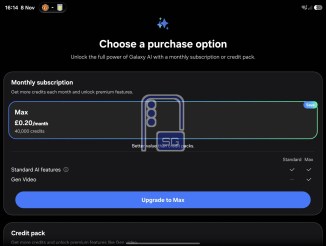
Galaxy AI Premium subscription UI
Here it gets a little confusing as it seems that language translation, text summarization and image generation will have a separate tier structure. You will be able to do 10 translations, 5 summaries and 2 image generations per day for free. An Essential tier will increase these limits 10x (i.e. 100 translations instead of 10 per day) and the Premium tier will give you unlimited access.
The current features will move under the Galaxy AI Core label. This includes Browsing Assist, Creative Studio, Memory, Now Brief, Photo Studio and others.
Now for the new features for the Galaxy AI Premium plan. Bixby Action may be the name of the rumored agentic Bixby feature. It will allow you to create system routines for daily tasks and triggers for them.
Daily Briefing, not to be confused with Now Brief, will be available on the Plus tier, though we’re not entirely sure what it is and how it differs from Now Brief. Gen Video will turn photos into video clips, guided by text prompts. Galaxy Claw sounds like Samsung’s take on OpenClaw – it will automate daily routines and may overlap with Bixby Action to some extent.