


You already track and analyze your SEO strategy — keyword rankings, organic traffic, SERP positions. But when a prospect asks ChatGPT, Perplexity, or Google AI Overviews a buying question and your brand doesn’t appear in the answer, traditional rank tracking can’t tell you that. AEO prompt tracking helps you measure brand visibility within AI-generated answers by monitoring whether (and how) your brand gets cited when real AI prompts are run across the engines your audience is actually using. For marketing leaders, SEO managers, and demand gen teams, it’s the measurement layer that closes the gap between “we publish great content” and “we can prove AI search drives pipeline.”

The challenge is that most teams trying to operationalize AEO today are stuck. Prompt-level visibility is limited, AI search data is disconnected from web analytics and CRM, attribution to leads and revenue is unclear, and choosing the best tools for monitoring AEO citations in answer engines feels overwhelming when the category is still emerging. The result is inconsistent reporting, governance gaps, and AEO efforts that stall before they reach a budget conversation.
This guide is built to fix that. Below, I’ll walk you through:
- The metrics marketing should own
- How to build and maintain a prompt library
- How to close content gaps that cost you citations
- How to connect AEO prompt tracking tools step by step (with HubSpot’s AEO Product as your CRM-connected baseline)
Everything here is structured around a single goal: giving marketing teams a repeatable, data-driven framework that ties AI search visibility directly to pipeline and revenue impact — anchored by HubSpot AEO. Let’s get started.
Table of Contents
What Is AEO Prompt Tracking and Why It Matters
AEO prompt tracking is the practice of monitoring whether (and how) your brand, content, or URLs appear in AI-generated answers when users ask specific prompts across large language models.
Unlike traditional SEO rank tracking, which measures where your page falls on a search engine results page for a given keyword, AEO prompt tracking measures your visibility inside the answer itself (i.e., the citation, the mention, the recommendation that an answer engine surfaces when a user asks a question like “What’s the best CRM for small businesses?” or “How do I set up marketing automation?”).
That distinction matters more than it might seem at first glance. SEO rank tracking tells you your position on a list. AEO prompt tracking tells you whether you made it into the conversation. Think of it this way: SEO rank tracking answers “Where do I rank?” and AEO prompt tracking answers “Am I even in the AI’s answer?”
Pro tip: Learn all about AEO in under 30 minutes with this video from the HubSpot Marketing YouTube channel.
How AEO Prompt Tracking Differs from SEO Rank Tracking
AEO prompt tracking differs from SEO rank tracking in four core ways: what you measure, where you measure it, how stable the outputs are, and how attribution works. The underlying shift is that SEO rank tracking measures stable URL positions on a search results page, while AEO prompt tracking measures non-deterministic brand presence inside AI-generated answers.
- What you’re measuring. SEO tracks keyword-to-URL position. AEO prompt tracking measures whether a brand or source appears — and in what context — within an AI-generated response to a specific prompt.
- Where you’re measuring. SEO focuses on Google (and occasionally Bing). AEO prompt tracking requires coverage by engine and simultaneous visibility across ChatGPT, Perplexity, and Gemini.
- How often outputs change. SERP positions update with algorithm refreshes. Answer engine outputs can change with every model update, retrieval-augmented generation pull, or even between identical prompts in the same session.
- Attribution complexity. A SERP click generates a clear referral URL. An AI citation may drive traffic without trackable clicks, making attribution to leads and pipeline significantly harder.
This is exactly why the best tools for monitoring AEO citations don’t rely on a single engine. Instead, they run prompt-level monitoring across multiple answer engines on a scheduled cadence, tracking citation share, sentiment, and competitive positioning over time.
Pro tip: HubSpot AEO is built to handle these differences from the inside out. It runs scheduled prompts across ChatGPT, Gemini, and Perplexity and rolls coverage, citation share, and competitor comparison into a single AI visibility score inside Marketing Hub Pro and Enterprise.
Prompt-Level Monitoring Across Multiple Answer Engines
Prompt-level monitoring means selecting a defined library of prompts that reflect how your target audience actually queries answer engines, then systematically tracking how each answer engine responds, thus revealing:
- Who gets cited
- What content gets surfaced
- How your brand’s citation share compares to competitors
Now, in practice, this looks like running a set of 50 to 200 prompts weekly across ChatGPT, Perplexity, and Gemini, then logging which brands, URLs, or domains appear in each response.
The challenge is that no single tool does this flawlessly yet, and manual tracking breaks down fast. This is one of the key pain points driving demand for AEO prompt tracking tools: marketing leaders need consistent, repeatable data across engines, not one-off spot checks.
HubSpot AEO is built to close that gap, automating prompt runs across ChatGPT, Gemini, and Perplexity inside Marketing Hub Pro and Enterprise so the data stays fresh and connected to the CRM.
Pro tip: Citation share (the percentage of answers where your brand or source appears) becomes your core AEO visibility metric, functioning as the prompt-level equivalent of share of voice in traditional search.
AEO Prompt Tracking’s Role in the Growth Stack
AEO prompt tracking’s role in the growth stack is to feed content updates, sourcing decisions, and campaign strategy with prompt-level visibility data — connecting AI search insights to broader marketing and revenue operations. HubSpot’s own marketing team used AEO methodology to increase leads by 1,850%, validating the approach on its own brand before building the tools to help other businesses do the same.
Here’s more detail on each below:
- Content updates. When prompt monitoring reveals that a competitor is consistently cited for a topic you should own, that’s a direct signal to update, restructure, or create content optimized for AI retrieval. AEO prompt tracking helps you measure brand visibility within AI-generated answers so you can prioritize the right content refreshes. HubSpot AEO surfaces these gaps as prioritized, plain-language recommendations so content teams know exactly which pages to update first.
- Sourcing and link strategy. Tracking which sources answer engines pull from (and how often) informs where to invest in authoritative backlinks, data partnerships, and original research that answer engines are more likely to cite.
- Campaign strategy. If your brand consistently appears in AI answers for bottom-of-funnel prompts but disappears at the awareness stage, that gap shapes where you invest in thought leadership, paid amplification, and distribution. Inside Marketing Hub Pro and Enterprise, that funnel-stage view sits alongside campaign reporting, so AEO insights flow directly into existing planning.
The bottom line: AEO prompt tracking isn’t a replacement for SEO rank tracking. It’s the additional measurement layer that accounts for where your audience is increasingly going for answers.
Pro tip: HubSpot AEO provides a baseline view of AI search visibility, giving marketing teams a starting point for tracking how their brand appears across AI-generated results without stitching together multiple disconnected tools. For teams already running CRM, reporting, and campaign workflows inside HubSpot, this creates a more direct path from AEO prompt tracking data to the attribution and pipeline metrics that drive budget decisions.
AEO Metrics That Marketing Should Own
AEO metrics that marketing should own are the five KPIs that make AI search visibility measurable, comparable to competitors, and tied to pipeline: coverage by engine, citation frequency and placement, share of voice, referral traffic from answer engines, and demand and pipeline influence. Together, they turn AEO prompt tracking from a concept into a measurable discipline that informs content strategy, campaign planning, and revenue reporting.
Every time a user asks a question, the answer engine assembles an answer, and that answer either includes your brand or it doesn’t. The critical shift for marketing teams is recognizing that these AI-generated answers are analyzable. Marketing teams can systematically track:
- Which brands get cited
- How often they’re cited
- In what context they appear
- Which engines they’re surfaced on
Below are the five KPIs marketing should own for AEO prompt tracking. Each is measurable inside HubSpot AEO and connectable to pipeline through Marketing Hub Pro and Enterprise.
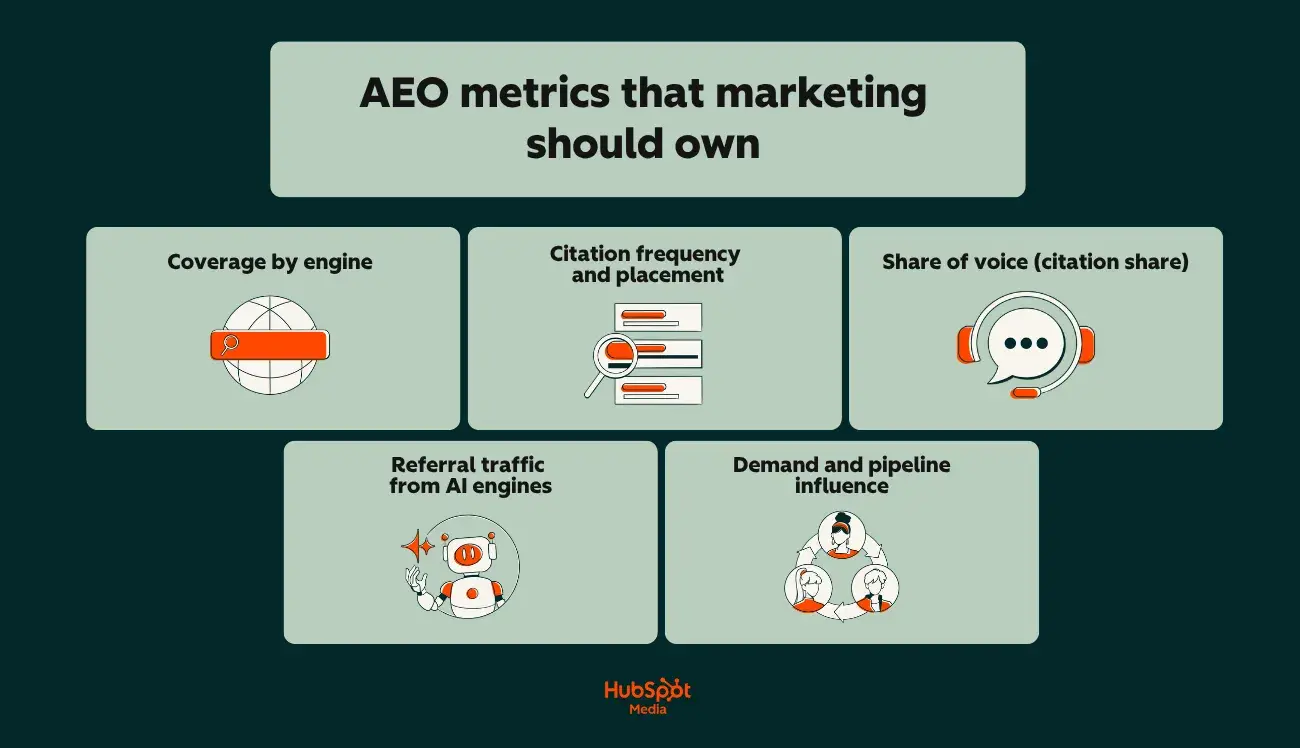
1. Coverage by Engine
Coverage by engine measures whether your brand appears in AI answers on each platform independently. Marketers should examine visibility across:
- ChatGPT
- Perplexity
- Gemini
This matters because answer engines don’t behave the same way. Your brand might be consistently cited in Perplexity (which leans heavily on web retrieval and source attribution) but completely absent from Gemini’s responses for the same prompt. Without engine-level breakdowns, you’re working with an average that hides critical gaps.
To measure it with precision, run your prompt library across each engine and log a binary yes/no for brand presence per prompt, per engine. Your coverage rate is the percentage of prompts where your brand appears, calculated per engine.
Pro tip: The best tools for monitoring AEO citations automate this across engines on a set schedule, so you’re not manually querying five platforms every week. HubSpot AEO, for example, runs prompts on a weekly cadence across ChatGPT, Gemini, and Perplexity and surfaces engine-level visibility breakdowns inside Marketing Hub.
2. Citation Frequency and Placement
Citation frequency measures how many times your brand, domain, or specific URLs are cited across a defined set of prompts. Citation placement tracks where in the answer you appear, which includes:
- First source mentioned
- Mid-answer reference
- Footnote-level attribution
But, both matter for different reasons:
- Frequency tells you how broadly your content is being pulled into AI answers. A brand cited in 40 out of 200 tracked prompts has a 20% citation rate. It’s a concrete, reportable number.
- Placement tells you how prominently the answer engine positions your brand. Being the first-cited source in an answer carries more implied authority than appearing as the fourth link in a footnote cluster.
Pro tip: Track citation frequency and placement separately. A brand with moderate frequency but consistent first-position placement may have stronger effective visibility than a competitor cited more often but always buried. HubSpot AEO surfaces both citation visibility and competitor positioning in a single view within Marketing Hub Pro and Enterprise, so the comparison happens without manual cross-referencing.
3. Share of Voice (Citation Share)
Citation share shows how often a brand or source appears in AI answers compared with competitors for the same set of prompts. This is the AEO equivalent of organic share of voice, and for many marketing leaders, it’s the single most useful metric for benchmarking. Here’s how it works in practice:
- Define a prompt library of 100 to 200 prompts mapped to your priority topics and funnel stages.
- Run each prompt across your target answer engines.
- Log every brand or domain cited in each response.
- Calculate your citation share as: (number of responses citing your brand ÷ total responses) × 100.
If your brand appears in 35 out of 100 tracked responses and your top competitor appears in 52, your citation share is 35% versus their 52%. That gap becomes a strategic input (not a guess) for content investment and competitive positioning.
4. Referral Traffic From Answer Engines
Referral traffic measures the actual clicks and visits arriving at your site from AI-generated answers. This is where AEO prompt tracking connects to web analytics — and where most teams hit a wall because attribution is fragmented. The challenge is that not all answer engines pass clean referral data. Here’s the current state of each.
- Perplexity: Typically passes referral parameters, making it the most trackable answer engine for click attribution.
- Google AI Overviews: Traffic often blends into standard Google organic referrals in analytics platforms, requiring filtering or UTM-based workarounds.
- ChatGPT: Citations may generate visits that show as direct or unattributed traffic, since users often copy-paste URLs rather than clicking inline links.
Pro tip: Set up dedicated segments in your analytics platform for known AI referral sources, and compare trends in direct traffic alongside AEO citation changes. (A spike in direct visits that correlates with increased AI citation frequency is a strong directional signal, even without perfect click-level attribution.) For teams using Marketing Hub Pro and Enterprise, HubSpot AEO citation data sits alongside web analytics and contact records, making this correlation work native rather than a manual stitch.
5. Demand and Pipeline Influence
Demand and pipeline influence measures whether AEO visibility translates into leads, opportunities, and revenue. AEO prompt tracking helps marketing teams measure brand visibility within AI-generated answers, but visibility alone doesn’t close deals.
The operational question is whether AI-sourced traffic converts, and whether that conversion path is traceable. Wiring this together requires three things:
- AI referral traffic segmented in your CRM. Contacts arriving from identified AI referral sources should be tagged at the source level so you can track them through lifecycle stages.
- Prompt-to-page mapping. Knowing which prompts drive traffic to which landing pages lets you tie AEO visibility to specific conversion points.
- Pipeline attribution. Contacts influenced by AI-referred sessions need to flow into your existing attribution models — whether first-touch, multi-touch, or revenue-weighted.
Pro tip: This is where the CRM connection earns its keep. Inside Marketing Hub Pro and Enterprise, HubSpot AEO ties prompt visibility data directly to contact records, lifecycle stages, and deal pipeline. AEO impact reports use the same attribution logic that already drives budget decisions.
Next, let’s walk through how to build a functional, easily scalable prompt library that powers all five of these KPIs.
How to Build Your AEO Prompt Library and Taxonomy
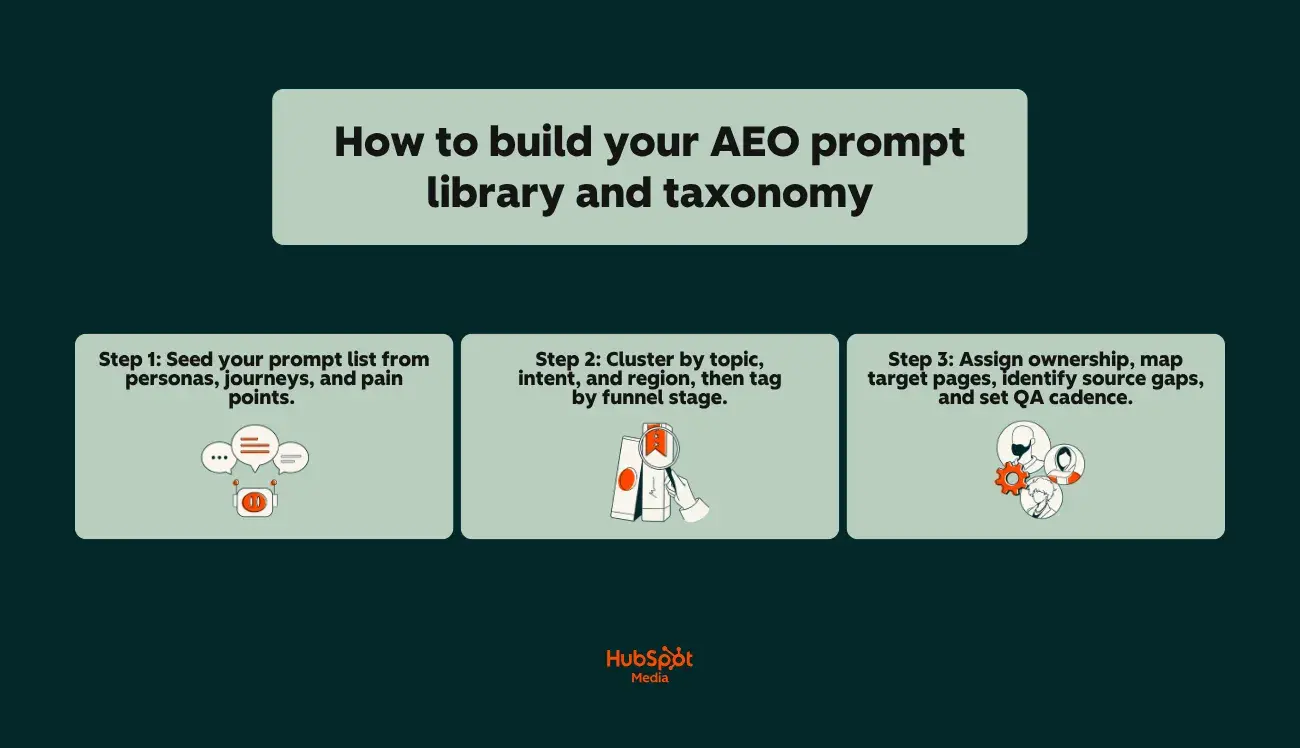
Building an AEO prompt library and taxonomy is a three-step process: seed prompts from personas, journeys, and pain points; cluster them by topic, intent, and region with funnel-stage tags; and assign ownership, target pages, source gaps, and a QA cadence to each entry. The library is the foundation. It determines:
- What marketing teams monitor
- How visibility data is organized
- Whether tracking connects to actual business outcomes
A poorly built library gives marketing teams noise. A well-structured one becomes a decision-making asset that ties AI search visibility directly to content strategy, campaign planning, and pipeline.
Most teams stall here because they don’t have a repeatable process for choosing, organizing, and maintaining prompts. Below is a step-by-step build:
Step 1: Seed your prompt list from personas, journeys, and pain points.
Seed the prompt list using three sources — buyer personas, customer journey stages, and documented pain points — then layer in core category terms the brand should own. The list should reflect how the target audience actually asks questions in answer engines, not how internal teams think about the product. Here’s how:
- Start with personas. For each buyer persona, list the questions they’d ask an answer engine at each stage of awareness. A VP of Marketing asks different prompts than an SEO manager, even about the same topic. “What’s the best CRM for mid-market SaaS?” is a different prompt (with different citation patterns) than “How do I set up lead scoring in HubSpot?”
- Map to journey stages. Awareness-stage prompts tend to be category-level (“What is AEO prompt tracking?”). Consideration-stage prompts are comparative (“Best tools for monitoring AEO citations”). Decision-stage prompts are specific (“Does [Brand X] integrate with Salesforce?”). You need coverage across all three.
- Mine pain points. Sales team call notes, support tickets, community forums, and review sites are prompt goldmines. The language your customers use to describe problems is often the exact phrasing they type into ChatGPT or Perplexity.
- Add category terms. Include the core category and subcategory terms your brand should own. These become the prompts where citation presence is non-negotiable. If you sell marketing automation software, prompts like “best marketing automation platforms” and “marketing automation vs. email marketing” belong in your library regardless of persona.
Pro tip: Aim for 100 to 200 seed prompts to start. Fewer than 50 won’t give you statistically meaningful citation data. More than 300 becomes operationally unwieldy unless you have automation in place. Inside Marketing Hub Pro and Enterprise, HubSpot AEO uses CRM data to suggest prompts automatically — so teams get business-context-driven suggestions rather than starting from a blank page.
Step 2: Cluster by topic, intent, and region, then tag by funnel stage.
Clustering by topic, intent, and region — then tagging each prompt by funnel stage — converts a flat list into a structured tracking system that supports segmented analysis and cross-functional decision-making. A flat list of 200 prompts isn’t usable for reporting; the taxonomy layer is what makes the library queryable. To do this, cluster your prompts across three dimensions:
- Topic cluster. Group prompts by subject area — the same way you’d organize a keyword universe for SEO. Example clusters: “CRM selection,” “lead scoring,” “marketing attribution,” “AEO prompt tracking.” (Each cluster should map to a content pillar or product category your team owns.)
- Intent type. Classify each prompt by user intent: informational (learning), commercial (comparing), navigational (finding a specific brand or product), or transactional (ready to act). Intent determines which content assets and pages should be cited in AI answers, and, most importantly, which gaps to flag.
- Region and language. If your audience spans multiple markets, the same prompt asked in English, Spanish, or German can produce entirely different citation results. Coverage by engine tracks visibility across ChatGPT, Perplexity, and Gemini, but each engine also behaves differently by language and locale. Tag prompts with their target region so you can segment reporting accordingly.
Once clustered, assign every prompt its respective funnel stage, which should be:
This is what lets you report AEO visibility by funnel position, not just by topic. When leadership asks, “Are we visible in AI answers for bottom-of-funnel buying prompts?” marketing teams need the tagging in place to answer in seconds, not hours.
Pro tip: HubSpot AEO inside Marketing Hub Pro and Enterprise lets marketing teams filter prompt tracking results by buyer’s journey phase and product or service relevance, making funnel-stage reporting available without building a separate tagging system.
Step 3: Assign ownership, map target pages, identify source gaps, and set QA cadence.
Each prompt in the library needs four metadata fields to be actionable: an owner, a target page, source gaps, and a status. Assigning ownership and tracking source gaps is where most AEO prompt tracking programs either become operational or die in a spreadsheet.
- Owner. Assign a specific person (content strategist, SEO manager, product marketer) responsible for each prompt cluster’s visibility. Without ownership, no one acts on citation drops or competitive losses.
- Target page. For each prompt, define the ideal URL you want answer engines to cite. This is your “target page” (also known as the asset that should appear in the answer. If no suitable page exists, that’s a content gap flagged for production).
- Source gaps. After running your first round of AEO prompt tracking, note where your brand isn’t cited but should be. Source gaps are the difference between your target page mapping and the actual citations answer engines return. These gaps become your content and optimization backlog.
- Status. Track each prompt’s monitoring status: active (currently tracked), paused (deprioritized), or gap (no content exists to support citation). This keeps your library clean and your reporting accurate.
In short, QA cadence is the operational heartbeat. Set a regular schedule (biweekly or monthly) to review prompt library health and ask these questions:
- Are new prompts emerging from product launches, market shifts, or competitive moves that need to be added?
- Are any active prompts returning zero citations across all engines for three or more consecutive cycles? (If so, investigate whether the prompt is still relevant or whether your content needs updating.)
- Are ownership assignments current, or have team changes left gaps?
- Are target pages still live and optimized, or have redirects or content decay created broken mappings?
The prompt library and taxonomy aren’t a one-time build. They’re a living system that gets sharper as marketing teams layer in citation data, competitive benchmarks, and pipeline attribution over time.
The teams that treat AEO prompt tracking as an ongoing operational discipline, with clear ownership, defined target pages, documented source gaps, and a real QA cadence, are the ones who turn AI search visibility into a measurable growth input rather than an unstructured experiment.
How to Connect AEO Prompt Tracking Tools
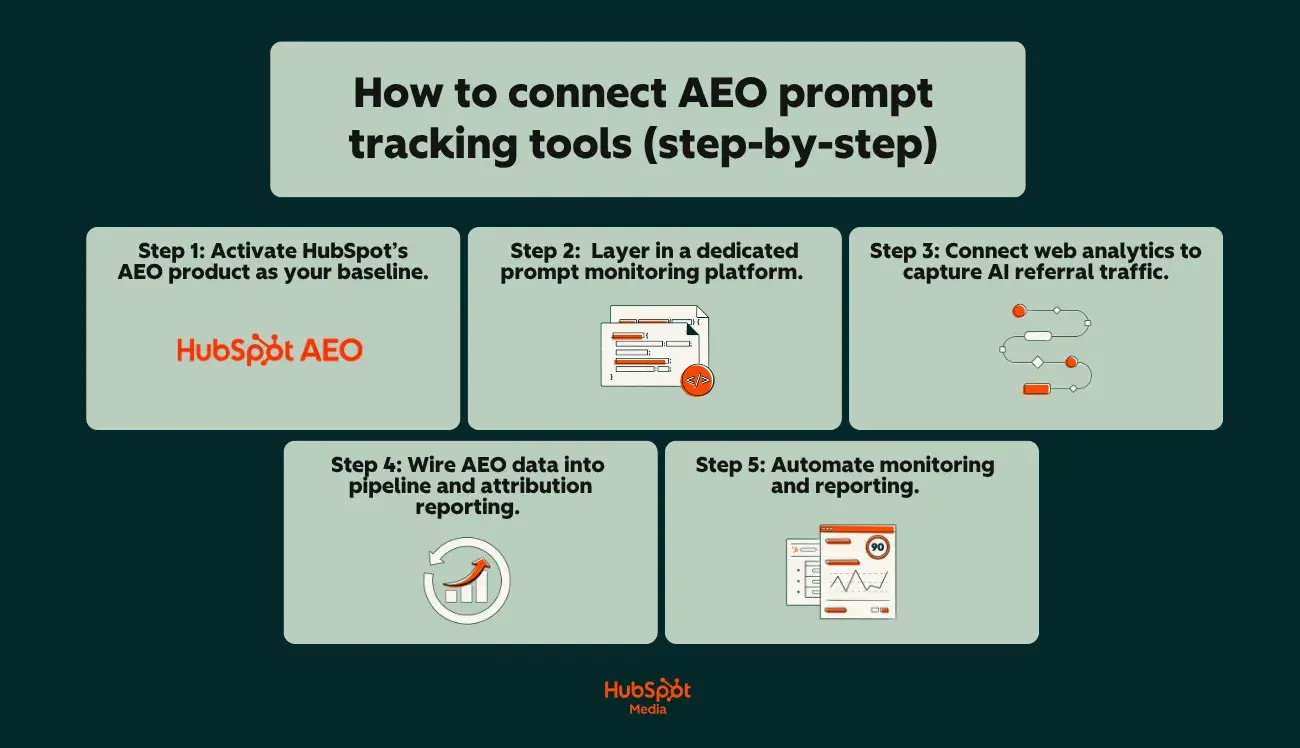
Connecting AEO prompt tracking tools is a five-step process: start with a CRM-integrated platform like HubSpot AEO as the operational hub, layer in supplemental tools for deeper prompt-level monitoring, connect web analytics to capture AI referral traffic, wire data into pipeline and attribution reporting, and automate monitoring and alerting. The goal is a connected system, not a tool sprawl.
The AEO tooling landscape has expanded fast in the last 18 months, and most marketing teams now have access to more options than they can realistically operationalize. The right approach is to build a layered stack where each tool plays a defined role, with the CRM-integrated platform anchoring attribution and reporting.
Step 1: Activate HubSpot AEO as your baseline.
HubSpot AEO combines prompt-level visibility tracking across ChatGPT, Gemini, and Perplexity with native CRM integration, eliminating the data-stitching overhead that breaks most early AEO programs. It’s built directly into Marketing Hub Pro and Enterprise, or available as a standalone solution for $50/month with no hub required. Starting here eliminates the most common pain point teams hit early:
- Disconnected tools that force manual data stitching between an AEO monitoring platform and the CRM
- A web analytics tool that doesn’t pass AI referral source data into the CRM automatically
- A CRM that doesn’t surface citation visibility alongside contact and pipeline records
With all that in mind, here’s how to get started:
- Enable HubSpot AEO within your HubSpot portal. Access it through your HubSpot settings. The product surfaces how your brand appears across AI-generated results, giving you an initial visibility baseline without requiring a separate vendor login or data export.
- Connect it to your existing HubSpot reporting. Because HubSpot AEO lives inside HubSpot, citation visibility data can be viewed alongside your traffic analytics, contact records, and deal pipeline (no API middleware or third-party connectors required for baseline reporting).
- Establish your starting metrics. Before layering in additional tools, document your initial citation share, coverage by engine, and top-cited pages. This baseline is what you’ll measure all future improvements against.
Step 2: Layer in a dedicated prompt monitoring platform.
HubSpot AEO covers ChatGPT, Gemini, and Perplexity with CRM-connected visibility tracking. For broader engine coverage — specifically Copilot and Google AI Overviews — and for high-volume prompt-level monitoring (running hundreds of prompts on a scheduled cadence), most teams will also need a dedicated AEO monitoring platform. The best tools for monitoring AEO citations offer capabilities that complement your HubSpot baseline:
- Scheduled prompt execution. Automatically run your full prompt library (100 to 200+ prompts) across ChatGPT, Perplexity, Gemini, Copilot, and Google AI Overviews on a weekly or biweekly cadence.
- Citation extraction and logging. Parse each AI-generated response to identify which brands, domains, and URLs are cited, and in what position within the answer.
- Competitive benchmarking. Track citation share for your brand versus named competitors across the same prompt set over time.
- Historical trending. Store response data over months so you can identify citation gains, losses, and patterns tied to content updates or model changes.
To connect a dedicated monitoring platform to your HubSpot workflow, do the following:
- Export citation data on a regular cadence (weekly or biweekly CSV exports at minimum; API integration if the platform supports it).
- Map citation metrics to HubSpot custom properties or reporting dashboards. Create custom properties for key metrics (i.e., citation share, coverage by engine, citation trend) so they’re reportable inside HubSpot alongside traffic and pipeline data.
- Align prompt clusters to HubSpot campaign objects. If your prompt library is organized by topic cluster and funnel stage, map those clusters to HubSpot campaigns so you can report AEO visibility within the same campaign-level performance views your team already uses.
Pro tip: When evaluating the best tools for monitoring AEO citations, prioritize platforms that offer structured data exports (CSV or API) with per-prompt, per-engine granularity. Aggregate-only exports make it impossible to connect citation data to specific pages, campaigns, or pipeline segments inside your CRM.
Step 3: Connect web analytics to capture AI referral traffic.
AEO prompt tracking shows where the brand is cited. Web analytics tells you whether those citations drive visits — connecting the two closes the gap between “visibility” and “traffic.” To help you close that gap, here’s a closer look at the connection workflow:
- Create AI referral segments in your analytics platform. Set up channel groupings or traffic segments for known answer engine referrers: Perplexity (the most reliably trackable), Google AI Overviews (often requires filtering within Google organic), and any other engines passing identifiable referral parameters.
- Sync analytics data to HubSpot. If you’re using Google Analytics or a similar platform, ensure that session-level source data flows into HubSpot contact records — either through native integration, HubSpot’s tracking code, or UTM-based workflows. The goal is to tag contacts who arrived via AI-referred sessions so they’re identifiable in your CRM.
- Correlate citation changes with traffic trends. Build a simple reporting view that overlays your AEO citation data (from Step 2) with AI referral traffic (from analytics). When citation share increases for a prompt cluster and AI referral traffic to the mapped target pages rises in the same period, that’s your strongest directional evidence that AEO visibility drives engagement.
Pro tip: Marketing teams that set up AI referral segments early — even before their attribution is perfect — start accumulating historical data that becomes increasingly valuable as answer engine referral tracking matures across the industry.
Step 4: Wire AEO data into pipeline and attribution reporting.
Wiring AEO data into pipeline and attribution reporting is what turns AEO prompt tracking from a content performance metric into a revenue conversation. The connection between citation visibility and pipeline requires deliberate CRM configuration.
- Tag AI-influenced contacts. Using the AI referral segments from Step 3, apply a lifecycle-stage-aware tag or custom property in HubSpot that flags contacts whose first or assisted touch came from an AI-referred session. This property becomes your filter for AEO-influenced pipeline reporting.
- Build an AEO attribution dashboard. In HubSpot, create a custom dashboard that reports on contacts tagged as AI-influenced, segmented by lifecycle stage (lead, MQL, SQL, opportunity, customer). Overlay this with citation share trends to show leadership the correlation between visibility investments and pipeline movement.
- Connect prompt clusters to revenue. Map your AEO prompt clusters (from your prompt taxonomy) to any HubSpot campaigns or content assets they correspond to. (When a contact enters pipeline after visiting a page mapped to a high-priority prompt cluster, that prompt cluster gets partial attribution credit, making your AEO investment defensible in budget conversations.)
Step 5: Automate monitoring and alerting.
Automating monitoring and alerting eliminates the manual weekly check-ins that AEO prompt tracking otherwise depends on. Once tools are connected, the recurring operational tasks should run on autopilot.
- Set up scheduled citation reports. Configure your monitoring platform to deliver weekly or biweekly citation summaries (either via email or directly into a Slack channel) highlighting citation share changes, new competitive entries, and citation losses.
- Create HubSpot workflow triggers. Build workflows that fire when AI referral traffic to a target page crosses a threshold (positive or negative), flagging the responsible content owner to investigate whether a citation gain or loss is driving the change.
- Establish quarterly review automation. Schedule recurring tasks in your project management system for prompt library QA, trusted-source analysis refreshes, and dashboard audits — the governance cadence that keeps your AEO tracking system accurate over time.
Pro tip: Automation doesn’t replace human judgment. The alerts and reports surface signals; the strategic decisions (which content gaps to close, which engines to prioritize, which prompt clusters to invest in) still require a human connecting AEO data to business context.
How to Close Content Gaps and Improve Citations
Closing content gaps and improving citations is a three-step process:
- Analyze which sources answer engines currently trust
- Build a prioritized sourcing plan that matches those source patterns
- Optimize on-page structure for answer engine retrieval
The gaps between target prompt coverage and actual citations are the highest-leverage content opportunities on the roadmap. Here’s how to execute each step:
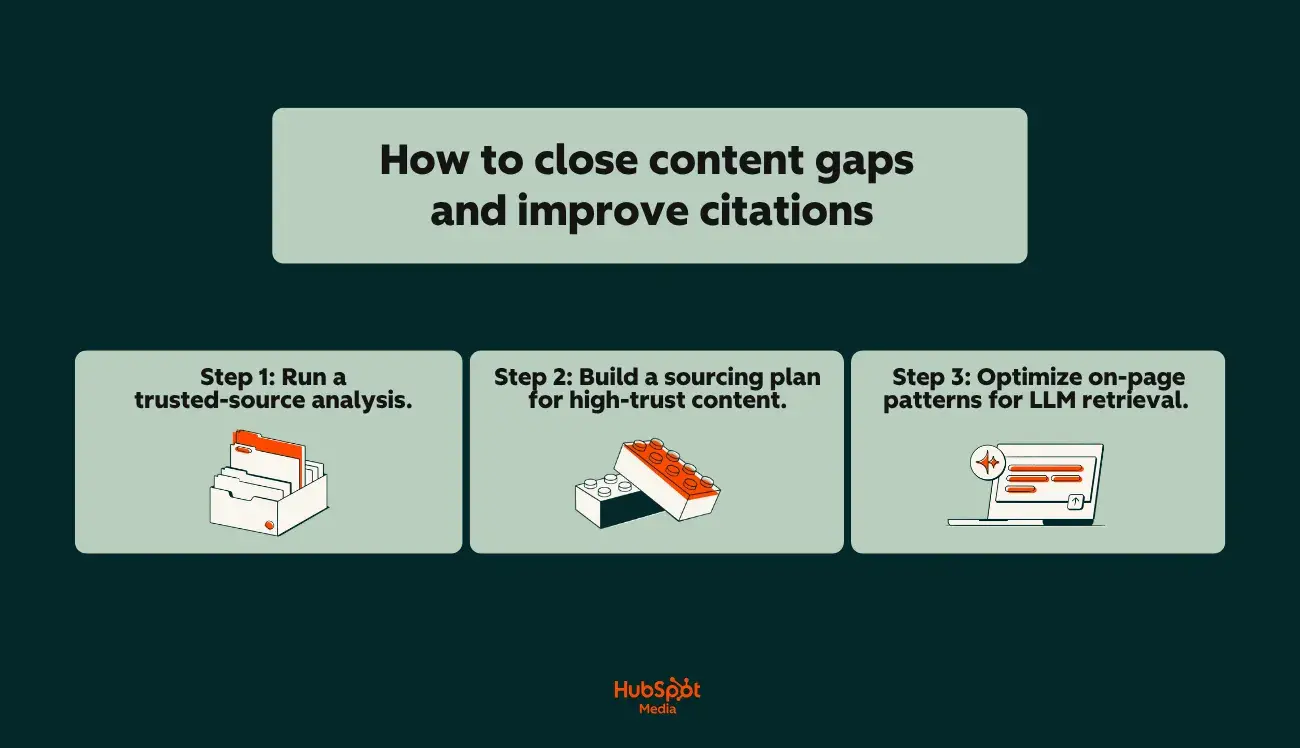
Step 1: Run a trusted-source analysis.
A trusted-source analysis examines the URLs, domains, and content types that answer engines consistently cite for a given prompt set. Running one before creating or updating content shows which sources are winning citations now — and why — so the resulting sourcing plan targets formats answer engines already trust. Here’s how to run one:
- Pull citation data from your AEO prompt tracking system. For each prompt where your brand isn’t cited, log every source that is. Note the domain, page type (glossary, research report, product page, comparison article), and content format.
- Identify source patterns. Across your prompt library, certain source types will appear repeatedly. Answer engines tend to favor reference pages with clear definitions, data-backed glossaries, original research with cited statistics, and authoritative comparison content. These are high-trust citation sources.
- Map your own content against those patterns. For each gap prompt, ask: “Do we have a page that matches the content type and depth of the currently cited sources?” If your competitor is being cited from a comprehensive glossary page and you don’t have one, that’s your gap.
Step 2: Build a sourcing plan for high-trust content.
A sourcing plan for high-trust content prioritizes the creation or optimization of formats that answer engines consistently cite, ranked by impact and feasibility. The goal is to produce content that matches source patterns answer engines already trust, not guess at what might work. Prioritize three content types that consistently earn AI citations:
- Reference pages and glossaries. Pages that define key terms with clear, concise language (structured as standalone definitions rather than buried inside longer articles) are disproportionately cited by answer engines. A well-structured glossary page for your category terms gives answer engines a clean, extractable source.
- Original data and benchmarks. Answer engines frequently cite pages that contain specific statistics, survey data, or industry benchmarks. If you can publish original research or proprietary data relevant to your prompt clusters, those pages become high-trust citation magnets.
- Comparison and “best of” content. Prompts like “best tools for monitoring AEO citations” or “top CRM platforms for mid-market” trigger AI answers that pull from comparison-style content. Pages structured as honest, detailed evaluations, not thinly veiled product pitches, earn more consistent citations.
Prioritize by impact and feasibility. Not every gap is worth closing immediately. Rank your content gaps using two criteria:
- Impact. How many tracked prompts does this gap affect? A missing glossary page that maps to 15 high-priority prompts is higher impact than a niche comparison page that maps to two.
- Feasibility. Can you create or update this content with existing resources in the current quarter, or does it require original research, design, or cross-functional input that extends the timeline?
Stack-rank your sourcing plan by impact × feasibility, and you have a prioritized editorial backlog driven directly by AEO prompt tracking data, not editorial intuition alone.
Step 3: Optimize on-page patterns for answer engine retrieval.
Optimizing on-page patterns for answer engine retrieval means structuring content so that answer engines can extract and cite specific passages cleanly. Answer engines retrieve and synthesize content differently from traditional search crawlers, and certain on-page patterns increase the likelihood of citation. Here are the structural patterns that matter most:
- Definition boxes. Place clear, concise definitions near the top of relevant pages — ideally within the first 200 words. Use a consistent format: “[Term] is [plain-language definition].”
- Short Q&A sections. Add FAQ or Q&A blocks that mirror the exact phrasing of prompts in your library. Answer engines frequently pull from Q&A structures because the question-answer format maps directly to how users query answer engines. Keep answers to two to four sentences for maximum extractability.
- Consistent entity usage. Use your brand name, product names, and category terms consistently throughout the page — exactly as they should appear in AI citations. Inconsistent naming (switching between “HubSpot CRM,” “the HubSpot platform,” and “our CRM”) makes it harder for answer engines to associate your content with a specific entity.
- Internal links to canonical sources. Link from supporting content to your primary reference pages, glossaries, and pillar pages. This reinforces which pages on your domain are the authoritative source for a given topic (which is a signal that answer engines with web retrieval capabilities can follow).
- Schema markup. Implement structured data (FAQ schema, Article schema with author and publication date signals, Product schema where relevant) to provide answer engines with machine-readable context about the content’s topic, structure, and authorship. Schema doesn’t guarantee citation, but it reduces ambiguity about what the page covers and who published it.
Pro tip: HubSpot’s Content Hub gives teams a centralized platform for managing these on-page optimizations at scale, from updating definition blocks and FAQ sections across multiple pages to maintaining consistent internal linking structures and deploying schema markup, all within the same system where your content performance data lives.
Frequently Asked Questions About AEO Prompt Tracking
How is AEO prompt tracking different from SEO rank tracking?
AEO prompt tracking and SEO rank tracking differ in four ways: what they measure, where they measure it, how stable the outputs are, and how attribution works. SEO rank tracking monitors a page’s position on a search engine results page for a specific keyword — the output is a number, like ranking #3 for “marketing automation software.” That position is indexable, relatively stable between algorithm updates, and tied to a clickable URL.
AEO prompt tracking monitors whether a brand, content, or domain appears inside AI-generated answers when users ask specific prompts across answer engines.
The output isn’t a rank; it’s a presence-or-absence signal, combined with context about how you’re cited (first source, supporting mention, or footnote) and how often. Here are a few key differences at a glance:
- Data source. SEO tracking pulls from search engine results pages. AEO prompt tracking pulls from AI-generated responses across ChatGPT, Perplexity, Gemini, Copilot, and Google AI Overviews.
- Stability. SERP positions shift with algorithm updates but remain relatively consistent between them. Answer engine outputs are non-deterministic — the same prompt can return different citations across sessions, models, and even consecutive queries.
- Attribution. A SERP click generates a clean referral URL. An AI citation may drive traffic that appears as direct or unattributed in analytics, making pipeline attribution harder without deliberate tracking infrastructure.
- Competitive framing. SEO ranks brands relative to competitors on a list. AEO prompt tracking signals whether a brand appears in the answer at all, and citation share shows how often a brand or source appears in AI answers compared to competitors for the same prompt set.
Pro tip: Don’t treat these as either/or. The teams getting the clearest picture of search visibility run SEO rank tracking and AEO prompt tracking side by side using the same topic clusters, comparing traditional organic visibility against AI citation visibility for the same subjects.
Which AEO metrics should a marketing leader review monthly?
Marketing leaders should review five core AEO metrics monthly to maintain visibility into AI search performance without getting lost in operational detail:
- Citation share. The percentage of tracked prompts where the brand appears in AI answers versus competitors. This is the top-level competitive benchmark (the AEO equivalent of organic share of voice).
- Coverage by engine. Coverage by engine tracks visibility across ChatGPT, Perplexity, Gemini, Copilot, and Google AI Overviews independently. A healthy aggregate number can mask total absence on a single platform, so engine-level breakdowns are essential.
- Citation trend (month over month).Whether the brand is gaining or losing citations over time. A single month’s snapshot is useful, but the trend line shows whether content investments are working or whether a competitor is displacing the brand.
- Source gaps. The number of high-priority prompts where the brand should be cited but isn’t. This metric directly informs content production priorities and resource allocation.
- AI referral traffic. Sessions attributed to known answer engine referral sources, segmented in the analytics platform. Even with imperfect attribution, directional trends in AI-referred traffic validate whether citation visibility is translating into site engagement.
How often should we refresh our prompt library?
Refresh the AEO prompt library on a quarterly cycle, with lighter monthly reviews layered in. For your reference, here’s a practical cadence:
- Monthly (light review). Check for new prompts emerging from product launches, competitive shifts, trending industry topics, or sales team feedback. Add net-new prompts as needed, but keep the library stable enough for month-over-month trend analysis.
- Quarterly (full refresh). Audit the entire library. Remove prompts that are no longer relevant (deprecated product categories, outdated terminology). Add prompts reflecting new market positioning, campaign themes, or audience segments. Revalidate funnel-stage tags and target page mappings. Confirm ownership assignments are current.
- Event-driven (as needed). Major triggers (a new product launch, a competitor rebrand, a significant answer engine model update, or a shift in category language) warrant an immediate prompt addition or reclassification outside the regular cycle.
The best tools for monitoring AEO citations in answer engines make library management easier by flagging prompts that return zero citations for multiple consecutive cycles — a signal of either a content gap or a prompt that’s no longer reflective of real user behavior. Without that automation, build a manual QA check into the quarterly review to catch stale prompts before they dilute reporting.
Can we tie AEO visibility to pipeline without new tools?
Yes — with caveats. Marketing teams can build a functional connection between AEO prompt tracking and pipeline reporting using tools most already have, but the depth of attribution depends on how much manual work the team is willing to sustain. Here’s a minimum viable approach without adding new platforms:
- Tag AI referral sources in analytics. Create segments for known answer engine referrers (Perplexity is the most reliably trackable). Monitor trends in direct traffic alongside citation changes; correlated spikes are a strong directional signal even without click-level attribution.
- Map prompts to landing pages in the CRM. For each high-priority prompt, document which page answer engines should cite. When contacts arrive on those pages from AI referral sources (or correlated direct traffic), tag them with a campaign or source property in the CRM.
- Report at the cohort level. Rather than attempting per-contact, per-click attribution (which current answer engine referral data rarely supports), report on cohorts: ‘Contacts who first visited a page mapped to our top-of-funnel AEO prompts converted to pipeline at X% rate over the past quarter.‘
This works, but it’s manual, fragile, and hard to scale across hundreds of prompts and multiple engines.
Pro tip: For teams that want to move past spreadsheet-based stitching and into a CRM-first AEO tracking and reporting framework, Marketing Hub Pro and Enterprise include HubSpot AEO with CRM-powered prompt suggestions, citation analysis, and prioritized recommendations. These tools are all connected to contact records and pipeline dashboards in one interface. That native integration removes most of the manual data-stitching overhead that causes early AEO-to-pipeline attribution efforts to break down.
What triggers should we automate from AEO changes?
Automate four core triggers from AEO prompt tracking data: citation loss alerts, competitor entry alerts, traffic threshold triggers, and quarterly QA prompts.
- Citation loss alerts. Configure the monitoring platform to flag when a high-priority prompt loses citation share for two or more consecutive cycles. Route the alert to the content owner mapped to that prompt cluster so the response is investigation, not inbox noise.
- Competitor entry alerts. Set up notifications when a new competitor begins appearing in citations for tracked prompts. Early detection lets the team analyze the source content driving the citation before the competitor compounds the gain.
- Traffic threshold triggers. In the CRM or analytics platform, build workflows that fire when AI referral traffic to a target page crosses a defined threshold (positive or negative). Both directions are useful: a spike validates a content investment; a drop signals a citation loss worth investigating.
- Quarterly QA automation. Schedule recurring tasks for prompt library audits, trusted-source analysis refreshes, and dashboard health checks. The governance cadence keeps the AEO tracking system accurate over time.
Pro tip: Inside Marketing Hub Pro and Enterprise, AEO features surface citation share changes and competitor positioning shifts automatically, so the alerts don’t require building separate workflows in a third-party monitoring tool.
AEO Prompt Tracking Is Achievable With the Right Structure
AEO prompt tracking isn’t inherently complicated. The core concept is straightforward:
- Monitor whether your brand shows up in AI-generated answers
- Track how often and where
- Use that data to make better content and campaign decisions.
The tools exist. The metrics are definable. The workflow is repeatable.
What makes it hard (and what causes most teams to stall) is attempting it without structure. Running ad hoc prompts across ChatGPT once a quarter isn’t tracking. Logging citation data in a spreadsheet that never connects to your CRM isn’t reporting. Knowing your brand appeared in a Perplexity answer, but having no path from that visibility to pipeline isn’t strategy.
But the teams that make AEO prompt tracking work treat it the same way they treat any other measurable marketing discipline:
- They build a prompt library rooted in real buyer personas, journey stages, and pain points, not internal assumptions about what people search.
- They organize that library with a taxonomy that supports segmented reporting by topic, intent, engine, and funnel stage.
- They assign ownership, map target pages, document source gaps, and run QA on a set cadence so the system doesn’t decay.
- They track the right KPIs, then report them with the same rigor as organic search metrics.
- They connect AEO data to their CRM so visibility insights flow into the same attribution and pipeline reporting frameworks that drive budget decisions.
- They close content gaps with intention, using trusted-source analysis and on-page optimization patterns that match how answer engines actually retrieve and cite information.
None of that requires a massive budget or a dedicated AEO team. It requires a system, and the discipline to maintain it.
The brands gaining citation share right now aren’t the ones waiting for AEO to mature. They’re the ones who built the structure, committed to the cadence, and started measuring. Over time, the data compounds and the gaps close. And the conversation with leadership shifts from “we think AI search matters” to “here’s exactly what it’s doing for pipeline.”
Ready to see where your brand stands in AI search? Get started with HubSpot AEO and build an AI visibility baseline for $50/month.